แสดงบทความที่มีป้ายกำกับ portable แสดงบทความทั้งหมด

วันพฤหัสบดีที่ 1 มกราคม พ.ศ. 2552

Money Manager Ex 0.8.0.8


Money Manager Ex© is a easy-to-use personal finance software. It primarily helps organize one’s finances and keeps track of where, when and how the money goes. It is also a great tool to get a bird’s eye view of your financial worth. It includes all the basic features that 90% of users would want to see in a personal finance application.
Release Highlights:
  • Custom SQL Query Tool to create custom reports
  • Add % to actual/estimated amounts in Budget report (Juraj)
  • Reconciled balance incorrect for cross currency transactions (Shippers)
  • Fix transactions when viewed descending (Patch from Igor)
  • Add automatic Transaction Number (Patch from Igor)
  • Allow !Bank Qif import (Johnny Mac)
  • Fix funky DataFormat setup in Options dialog(Prerelease 1 through 4)
  • Fix crash when pressing CTRL+R in account screen
  • Add pie charts for categories
  • Fix bug where favorite accounts were not being displayed correctly (Jota)
  • Reconciled balance should show initial balance correctly(Jota)
  • Add support for split categories in a single transaction
  • Add Income vs Expenses and Top Categories Graphical Reports
  • Add automatic stock price download for various stock exchanges supported by Yahoo(Patch submitted by Greg Newton)
  • Fix Bug 1625307: Account Balances Length not showing full amount without refresh
  • Fix Bug 1695918: Language Selection Button shows blank text when canceled
  • Add Feature 1695853: Add Indicator that indicates Future Entries in the Register* Add Income/Expense views for Budgeting Panel
  • Add extension for Univ CSV template files
  • Fix Bug: Not show closed accounts in account summary and in report summary
  • Add view of transactions for current month and last month
  • Fix Multicurrency Bug in homepage (George)
  • Support exporting transfers to CSV files(Only from accounts will show it as transfer. Importrequires exact account names to be available for it to work)
  • Fixed Bug causing crash when account was deleted with pending bills and deposits
  • Use new icons for MMEX
  • Fix bug in amount reported by split transaction in report (drazx, Fortuna)
  • Allow flexible date formats in Date options (Samer)
  • Add Color option for future dates
  • Cleaner HTML formatting for summary and all reports (Patch submitted by Paulo Lopes)
  • Add new reports for expenses/income/categories
  • Fix bug with graph formatting
Homepage - TheZeal
Size: 3.0 MB

วันอังคารที่ 30 ธันวาคม พ.ศ. 2551

FileZilla V3.0.5


Synopsis: FileZilla is a fast and reliable FTP and SFTP client. It includes a site manager and supports uploads/downloads queue, keepalive, timeout detection, SOCKS 4/5 and HTTP 1.1 proxy etc.You may also like to check out Filezilla Portable for a portable package of FileZilla that is optimized for USB memory sticks.
Note that starting from V2.2.23, Filezilla no longer runs on Win9x/Me because it has been converted to use Unicode internally.
Writes settings to: Application folder

How to extract: Download the ZIP package and extract to any folder of your choice. Create a file called fzdefaults.xml in the same folder with the following content:


settings/

This will make FileZilla write settings to a subfolder called "settings" under the application folder. Launch FileZilla.exe.
Stealth: Yes

Unicode support: Yes

License: Freeware/Open Source

System Requirements: WinNT / Win2K / WinXP / Vista

Among others, the features of FileZilla include the following:

-Easy to use
-Supports FTP, FTP over SSL/TLS (FTPS) and SSH File Transfer Protocol (SFTP)
-Cross-platform. Runs on Windows, Linux, *BSD, OSX and more
-Available in many languages
-Supports resume and transfer of large files >4GB
-Powerful Site Manager and transfer queue
-Drag & drop support
-Configurable Speed limits
-Filename filters
-Network configuration wizard


homepage

วันจันทร์ที่ 29 ธันวาคม พ.ศ. 2551

Notepad++ v4.7.5


Notepad++ v4.7.5


Notepad++ is a free source code editor which supports several programming languages running under the MS Windows environment.

The supported languages by Notepad++ are: C, C++, Java, C#, XML, HTML, PHP, Javascript, RC file, makefile, nfo, doxygen, ini file, batch file, ASP, VB/VBS, SQL, Objective-C, CSS, Pascal, Perl, Python, Lua, Unix Shell Script, Fortran, NSIS and Flash action script.

Notepad++ main features include: Syntax Highlighting and Syntax Folding, User Language Define System, Regular Expression Search, WYSIWYG, Unicode support, Full Drag & Drop supported, Brace and Indent guideline Highlighting, 2 edits and synchronized view of the same document.

Notepad++ is based on Scintilla edit component are written in C++ with pure win32 api and STL, is under the GPL Licence.


License:
Open source


Filesize:
1.99 MB


homepage

วันอาทิตย์ที่ 28 ธันวาคม พ.ศ. 2551

Portable Your Uninstaller PRO 6.1.1250

Portable Your Uninstaller! PRO 2008 6.1.1250 Size: 4 MB

Your Uninstaller! uninstaller software is the industry’s leading uninstaller software. It’s the world’s 1st smart Drag&Uninstall™ uninstaller software under the Windows platform, works on all Windows versions including Windows Vista/XP/2000/ME/98/95/2003. It’s as easy as using the recycle bin. Imagine! Just a drag-drop and the program you don’t want will disappear from your computer - as well as everything the unwanted program brings! Your Uninstaller! is a user-friendly way of removing unneeded applications on your computer. It can even remove some annoying spywares!Your Uninstaller! software is a specially designed uninstaller program for both beginning and advanced users. Your Uninstaller! 2006 is extremely very fast and easy to use. It has a unique ability to uninstall items by simply dragging programs’ icons into the Your Uninstaller! icon. You may also find the application you want to uninstall through a unique search function.Your Uninstaller! completely removes applications so quickly. Your Uninstaller! starts up 500%-1000% times faster than other

Add/Remove programs. As you know, there are many installers in the world, such as InstallShield, Wise Installer, Microsoft Installer and many others. Most applications are built using these installers. Each installer has a unique install database, which makes it difficult to find all the changes programs’ make to your computer.

That’s why other uninstallers can only uninstall part of an application-leaving some files and registry keys.To solve this problem, Your Uninstaller! uses it’s unique technique: SmartUninstall™. SmartUninstall™ has a database containing information about all installers on the market; so when it uninstalls a program, it automatically detects which installer the application used, then it simply uninstalls the application properly. That’s the reason Your Uninstaller! can detect and completely remove all the programs and icons on your computer.

load

วันเสาร์ที่ 27 ธันวาคม พ.ศ. 2551

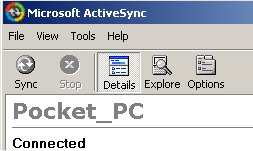
Portable Microsoft ActiveSync v4.5 - PocketPC (PPC)


Portable Microsoft ActiveSync v4.5 - PocketPC (PPC)
Microsoft ActiveSync v4.5 Portable for PocketPC (PPC)
Microsoft ActiveSync v4.5 Portable is a breakthrough, as it's totally portable, and no need to install on PC!Use anywhere, anytime...just transfer to your USB storage stick, and plug-in & click, wherever you are! No Install needed!Annoyed of not being able to use active sync on other pc with user restrictions (like at school)? Here is the solution.It leaves traces on host computer. If you want to delete traces browse to Documents and Settings/App Data/Thinstall. Otherwise This works with no installation on guest accounts. To stop application, as activesync doesnt have an exit button, you will need to use task manager to end process wcescomm.exedownload Microsoft ActiveSync v4.5 Portable - PocketPC (PPC)on rapidshare

วันศุกร์ที่ 26 ธันวาคม พ.ศ. 2551

Portable Software Belltech Small Business Publisher 4.1


Portable Software Belltech Small Business Publisher helps you create professional address and shipping labels, letterheads, Envelopes, Flyers etc. in a matter of minutes and print them right-away on any Windows compatible printer. It is a professional quality designing and printing software suited for small businesses. This product comes with ready made templates and supports all standard paper stocks including Avery papers.


Size: 14 mb
Download

วันพฤหัสบดีที่ 25 ธันวาคม พ.ศ. 2551

portable RoboForm2Go

portable RoboForm2Go
portable password manager
RoboForm2Go is a secure password manager and form filler. It stores all your login information and can run directly from a USB drive. Once launched, it attaches itself to Internet Explorer (or other IE based browser) and allows you to login to your sites with a single click from the toolbar. When you remove the USB drive from the host computer, no traces of Pass2Go are left behind. The program can also store personal data for automatic form filling or reference (credit card numbers, social security, driver license numbers etc.). Pass2Go uses AES encryption and password protection to secure your data on the USB drive. The auto-login features work in Internet Explorer and IE-based browsers, however you can also access your stored data from the program interface on any computer, regardless of any browser.

homepage


File Size 2948 kb

................
i use RoboForm2Go for my work and it is good program i thing

วันศุกร์ที่ 12 ธันวาคม พ.ศ. 2551

NeverBall : Usb Portable Center

NeverBall

The current version includes 75 Neverball levels and 62 Neverputt levels. Thanks to Pasi Kallinen for his contribution of 2 new complete putt courses!


XMedia Recode 2.0.8.3

XMedia Recode 2.0.8.3
Aktualisierung von x264(1019) Codec
Neue Funktionen
20 neue Profile( PS3, XBox360, Cowon A3 ...)
Import: E-AC3, WPL
Export : OGG
MPEG TS Format unterstützt AAC und AC3
VOB Format unterstützt die Auflösung (720x480, 704x480, 352x480, 352x240)
Farbkorrektur(Helligkeit, Kontrast, Gamma, Farbton, Sättigung)
Fehlerbehebung
es wird nicht die Eingestellte Video-Birtate zum kodieren verwendet.
beim H264 Codec ist die Option "Video kopieren" immer verfügbar.
verbesserte Erkennung der DVD-Struktur

วันจันทร์ที่ 8 ธันวาคม พ.ศ. 2551

PStart Version 2.11


PStart is a simple tray tool to start user defined applications. Designed to run portable applications (like portable Firefox & Thunderbird), you can start anything runnable from USB key devices or removable disks.
Install PStart locally to your hard disk to have an additional start menu with a quick program search feature.
Install PStart to your USB stick to launch portable applications easily and open important documents or folders.


PStart doesn't neccessarily have to be installed to your hard disk. Execute the installer and choose: you can install PStart to your local hard drive or a removable device.
Unlike Windows shortcuts, PStart uses relative paths, when installed as a portable application. If your USB key drive gets another drive letter when you insert it into another computer, your portable applications still can be started properly. This means you can also use PStart to start applications you burn to a CD (and don't know the drive letter either).
Of course not all applications are portable, but more and more software vendors notice, that people like the idea of carrying their applications with them. All future Pegtop applications will be portable (be patient). And there are portable versions of Firefox, Thunderbird, or even software development suites like Eclipse. PStart is 100% freeware, which means you can use it without having to pay, without any advertisements, and without other disadvantages (no spyware, no hidden costs).Of course you are allowed to link to this website, but you must neither publish this product elsewhere nor provide a direct download link without permission.
download 100% free

วันอังคารที่ 18 พฤศจิกายน พ.ศ. 2551

File Navigator V1.7.3.592


File Navigator V1.7.3.592 Suggested by BigD Posted on 18th November 2008 - 1MB


Category: Files - Managers
Synopsis: File Navigator is a Norton-Commander clone with a dual-pane text-based interface with a command prompt for you to enter DOS commands directly. Though the website is in Russian, the program itself is entirely in English.
Writes settings to: Application folder. To enable this, select the menu items "Commands" followed by "Configuration". Then click on the "Compatibility" tab and check "Store configuration in the INI-file".
How to extract: Download the ZIP package and extract to any folder of your choice. Launch the program by double-clicking on Fn.exe.
Unicode support: No

License: Freeware
System Requirements: Win95 / Win98 / WinME / WinNT / Win2K / WinXP

load

วันศุกร์ที่ 14 พฤศจิกายน พ.ศ. 2551

Apple Safari 3.1.1 Portable

Apple Safari 3.1.1 Portable
The fastest web browser on any platform, Safari loads pages up to 2 times faster than Internet Explorer 7 and up to 1.7 times faster than Firefox 2.And it executes JavaScript up to 3 times faster than Internet Explorer 7 and up to 2 times faster than Firefox 2.What does all that mean for you? Less time loading pages and more time enjoying them.Performance measured in seconds. Testing conducted by Apple in November 2007 on a 2.4GHz Intel Core 2 Duo-based iMac system running Windows XP Professional SP2, configured with 1GB of RAM and an ATI Radeon HD 2600 with 256MB of VRAM. HTML and JavaScript benchmarks based on VeriTest’s iBench Version 5.0 using default settings. Testing conducted with a beta version of Safari; all other browsers were shipping versions. Performance will vary based on system configuration, network connection, and other factors.

วันพุธที่ 7 พฤษภาคม พ.ศ. 2551

Portable ACDSee Pro2 2.0.238


ACDSee Pro 2 Photo Manager, the most powerful software platform for viewing, processing, editing, organizing and publishing your photos.ACDSee Pro is a single platform where professional photographers view, process, edit, organize, catalog, publish and archive their growing digital photo collections. Key features include advanced workflow functionality, support for Digital Negative Specification (DNG) and the latest RAW formats, RAW processing capability, batch IPTC editing, powerful color management functionality and professional publishing options.
Size: 22 mb


Download
Pass: softray.net

วันพฤหัสบดีที่ 24 เมษายน พ.ศ. 2551

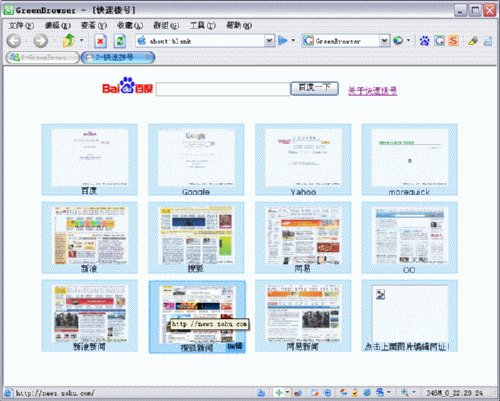
GreenBrowser V4.5


AD Filter, Mouse Gesture, Mouse Drag, Auto Fill Form, Auto Scroll, Auto Refresh, Auto Save, Auto Hide, Search Bar, External Toolbar, Collector, Page Manager, Download Manager, Group, Plugin, Skin, Proxy, Start Mode, URL Alias, Quick Key, Link List, Status Bar Setting, Sort Save Page, Clean System, Page Download Control, Page Zoom, Page Background Color...

4.5.0423
add: group show favicon
Fix: sometimes can not show flash
Fix: sometimes can not show scrollbar
Fix: add to group bug
Fix: group toolbar bug
Fix: favorite order bug
Fix: sometimes activex can not input
Fix: status bar https protocol icon bug
Fix: active order of the tab
Fix: monitor position bug
Fix: flying ad filter bug
Improved: popup filter effect


HomePage

Download

วันพฤหัสบดีที่ 10 เมษายน พ.ศ. 2551

Portable Google Earth 4.2 Incl. Sky

Explore the Sky
Switch your view to see the sky above your Earth location, and explore far-away galaxies, nebulae, and more. Zoom in to see imagery from the Hubble Space Telescope, learn about the lifecycle of a star, or even view the constellations. After all, the Earth doesn't sit in a vacuum... that would be an awful waste of space.

Features:

High-resolution photos, and more
When 3D terrain and buildings aren't enough, check out the new high-resolution photos. They line up with the terrain, so you can see the real deal superimposed on our 3D imagery. You can find the high-resolution photos in the Layers menu, along with new content such as traffic.

Create and Share Geographic Information
Millions of Google Earth users add and share geographic information every day using .KML, the Google Earth file format. In Google Earth 4 we’ve expanded that capability. Now you can view travel photos, hiking trails uploaded from your GPS, overlays of your own imagery, or large geographic data sets. You can even time-stamp the data to create animations of how the world changes over time. Explore Google Earth Showcase for some popular examples.

Explore rich 3D content
Seeing 3D terrain and buildings is one of the coolest features of Google Earth. We’ve added higher-quality terrain data for many mountainous regions, as well as support for "textured" 3D buildings - meaning bricks look like real bricks, glass looks like real glass, and overall, the world looks more like the real world. It's just one more step on the path of creating a life-like 3D model of the whole planet.

Download

from http://softwareportables.blogspot.com

วันพฤหัสบดีที่ 3 เมษายน พ.ศ. 2551

Wavosaur V1.0.2.0

Wavosaur V1.0.2.0


Wavosaur is a free sound editor, audio editor, wav editor software for editing, processing and recording sounds, wav and mp3 files. Wavosaur has all the features to edit audio (cut, copy, paste, etc.) produce music loops, analyze, record, batch convert.Wavosaur supports VST plugins, ASIO driver, multichannel wav files, real time effect processing.The program has no installer and doesn't write in the registry. Use it as a free mp3 editor, for mastering, sound design. The Wavosaur freeware audio editor works on Windows 98, Windows XP and Windows Vista

วันอาทิตย์ที่ 9 มีนาคม พ.ศ. 2551

Portable Newspeak

Portable Newspeak is Newspeak Cocoa IRC client for Mac OS X packaged as portable application so you can carry around with you on any portable device, USB thumb drive, iPod, portable hard drive,memory card, other portable device (also on your internal hard disk) as long as it has 2 MB of free space and use on any Mac OS X computer, taking your IRC servers, channels list and saved transcrip with you.

วันพฤหัสบดีที่ 28 กุมภาพันธ์ พ.ศ. 2551

Foxit Reader 2.2


Foxit Reader is a free PDF document viewer and printer, with incredible small size (only 2.1 M download size), breezing-fast launch speed and rich feature set. Foxit Reader supports Windows 98/Me/2000/XP/2003/Vista. Its core function is compatible with PDF Standard 1.7.
In the past, you've had to download a huge PDF reader from another software company, go through a lengthy installation process and wait for an annoying splash window to disappear just to open a PDF document. Moreover, if you want to annotate a PDF document, you have to pay US$299 to buy certain software.
Now with Foxit Reader, you don't have to endure such pain any more. The following is a list of compelling advantages of Foxit Reader:

Incredibly small: The download size of Foxit Reader is only 2.1 M which is a fraction of Acrobat Reader 20 M size.
Breezing-fast: When you run Foxit Reader, it launches instantly without any delay. You are not forced to view an annoying splash window displaying company logo, author names, etc.
Annotation tool: Have you ever wished to annotate (or comment on) a PDF document when you are reading it? Foxit Reader allows you to draw graphics, highlight text, type text and make notes on a PDF document and then print out or save the annotated document.
Text converter: You may convert the whole PDF document into a simple text file.
High security and privacy: Foxit Reader highly respects the security and privacy of users and will never connect to the Internet without users' permission. While other PDF readers often silently connect to the Internet in the background. Foxit PDF Reader does not contain any spyware.

วันอังคารที่ 26 กุมภาพันธ์ พ.ศ. 2551

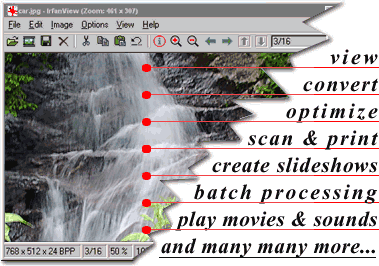
IrfanView

IrfanView is a very fast, small, compact and innovative FREEWARE (for non-commercial use) graphic viewer for Windows 9x/ME/NT/2000/XP/2003/Vista. It is trying to be simple for beginners and powerful for professionals.IrfanView is trying to create new and/or interesting features in its own way, unlike some other graphic viewers, whose whole "creativity" is based on feature cloning, stealing of ideas and whole dialogs from ACDSee and/or IrfanView! (for example: XnView has been stealing/cloning features and whole dialogs from IrfanView, for 7+ years). IrfanView was the first Windows graphic viewer WORLDWIDE with Multiple (animated) GIF support.One of the first graphic viewers WORLDWIDE with Multipage TIF support.The first graphic viewer WORLDWIDE with Multiple ICO support.Some IrfanView features:
Many supported file formats (click here the list of formats)
Multi language support
Thumbnail/preview option
Paint option - to draw lines, circles, arrows, straighten image etc.
Toolbar skins option
Slideshow (save slideshow as EXE/SCR or burn it to CD)
Show EXIF/IPTC/Comment text in Slideshow/Fullscreen etc.
Support for Adobe Photoshop Filters
Fast directory view (moving through directory)
Batch conversion (with image processing)
Multipage TIF editing
File search
Email option
Multimedia player
Print option
Support for embedded color profiles in JPG/TIF
Change color depth
Scan (batch scan) support
Cut/crop
IPTC editing
Effects (Sharpen, Blur, Adobe 8BF, Filter Factory, Filters Unlimited, etc.)
Capturing
Extract icons from EXE/DLL/ICLs
Lossless JPG rotation
Many hotkeys
Many command line options
Many PlugIns
Only one EXE-File, no DLLs, no Shareware messages like "I Agree" or "Evaluation expired"
No registry changes without user action/permission!
and much much more

homrpage